
The Reviewer Log feature tracks reviewer updates on shops which have had their status changed.
Get started on the main Admin Page.

There is no need to preselect client and a survey, as you will be able to do so later, so you can simply use the QuickJump bar and search for 'reviewer log'.
Once the Reviewer Log page opens, there are a couple of filters for you to choose from.
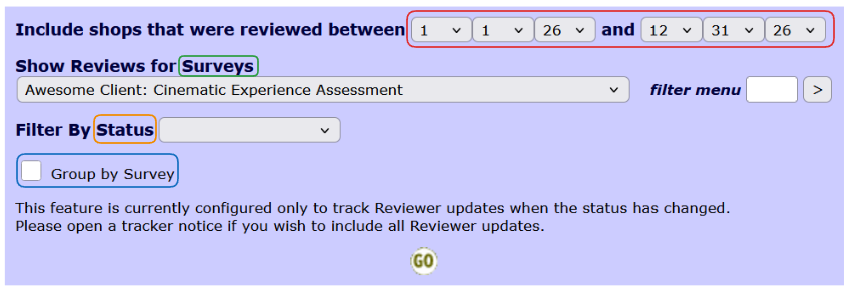
Select the date range you want to list the shops for. If you preselected a client and survey combination, this will automatically be filled in for you in the Surveys dropdown. However, if you select the client and all of its surveys, you can also group the results by the survey. Last, you can filter the results by the shop's status as well.
Use the GO button to display the results.

The first column lists the name of the reviewer. Using the link in the second column will open a new page, listing all shops that have been filtered.

On this page, clicking on the shop ID will open the Admin Review View for that shop, and using the Events link will open the Events popup.