
The Coverage Analysis tool can help you visualise and find shoppers from your database, as well as the Presto database on a single map.
Get started on the main Admin Page.

There is no need to pre-select client and survey, you can simply use the QuickJump bar and look up Shopper Analysis, or Coverage Analysis.
Which shoppers are included?
Shoppers from your database included in the analysis have to:
- be active,
- have elected to receive email offers, and
- be geocoded.
The information about Presto shoppers is limited because they are not required to fill out a profile. We know their coordinates, as well as country they chose when they signed up, but we do not know their state/province.

There might be an overlap in the numbers between your database and the Presto database.
Shoppers who are in your system could also be signed up in Presto, with the same, or different, email address.
Analysis Types and Shopper Views
There are three different analysis types, and the shopper numbers can be displayed in two ways: a map view, and a tabular view.
The Map view
Depending on the selected analysis type, the map will be different, ranging from a city area to a country.
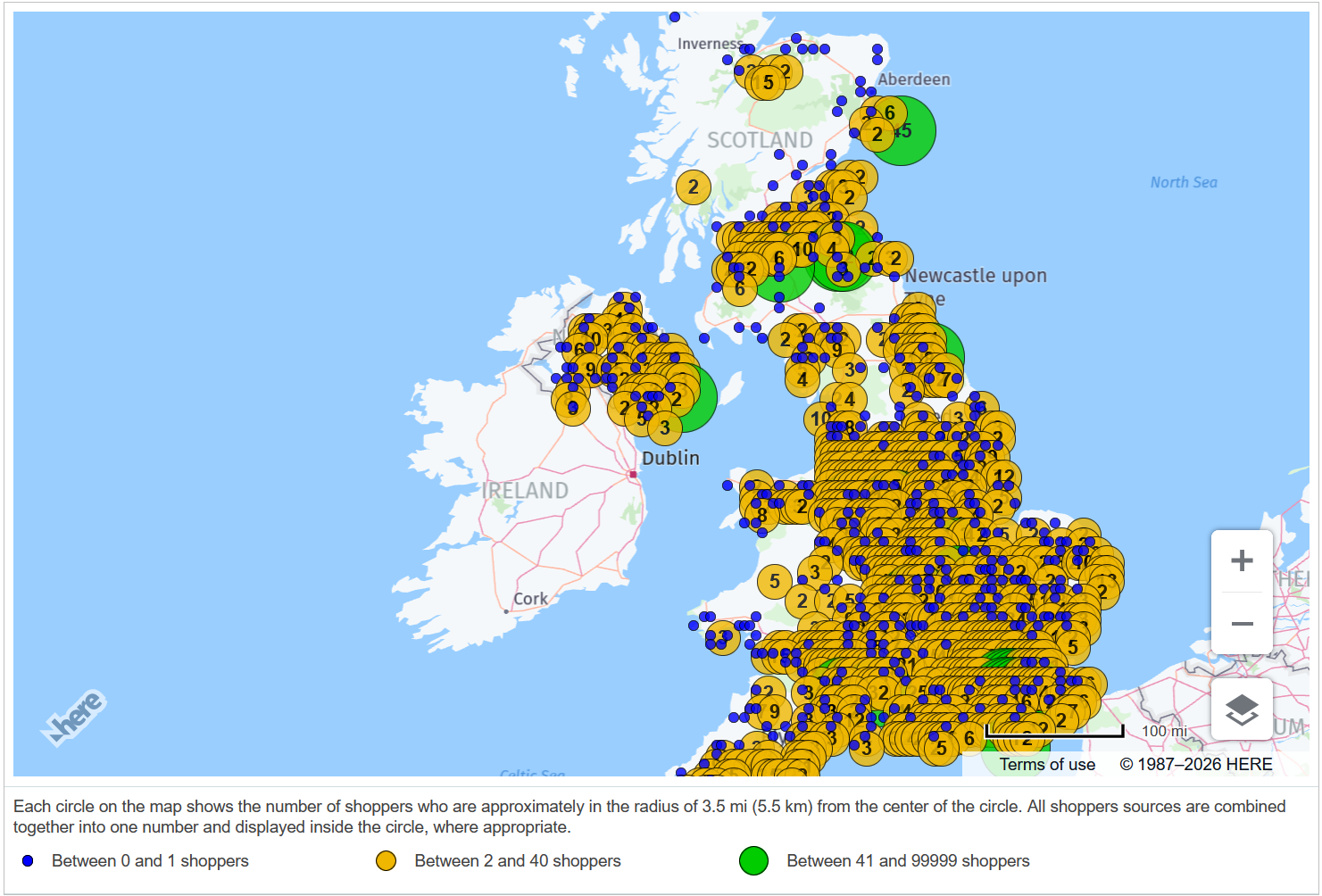
Each circle on the map displays the number of shoppers who are approximately in the radius of 3.5 miles, or 5.5 km, from the center of the circle. The circle colours display the amount of shoppers in the circle.
The tabular view

This view displays the shopper numbers per the selected databases, and their total.
Availability by country
Input at least one country in the Country filter, and check off the Source checkboxes to select which data you want to see.
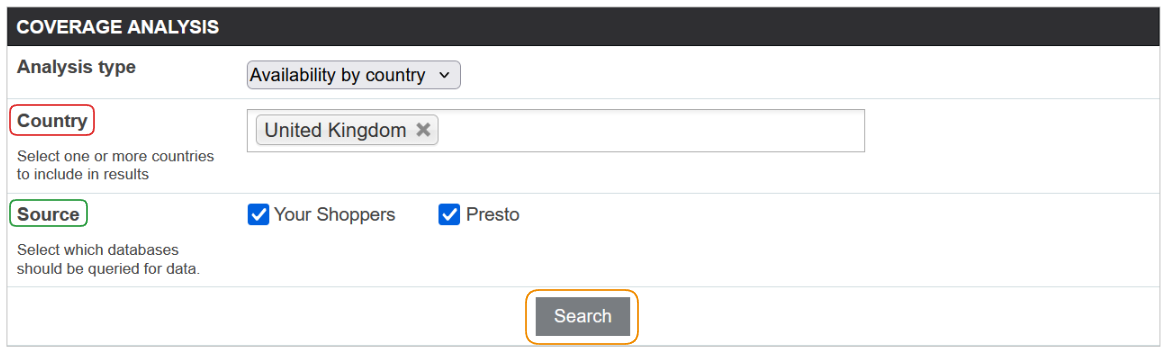
 Please keep in mind that in case of United States, there is an option to count the shoppers only in a certain region (which is a grouping of states), but with a caveat - Presto shoppers don't have states, so their numbers in this type of search will always be zero.
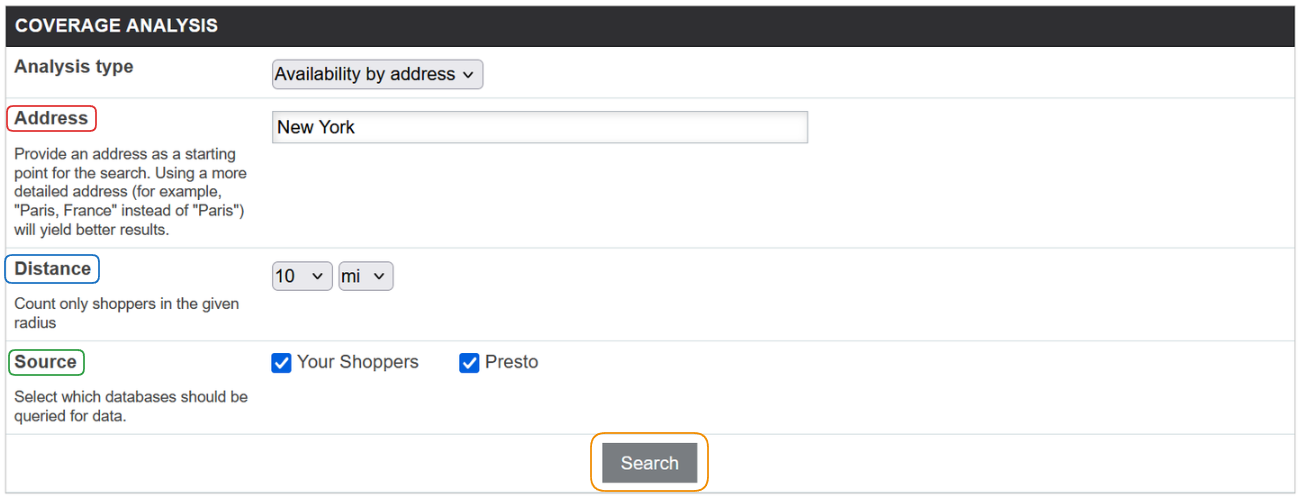
Availability by Address
Input an address as a starting point of the search in the Address filter. While you can use a specific address, you can also start from a city or a region.
The Distance selector allows you to spread the search up to 100 miles or kilometres, while checking off the Source checkboxes ensures you see only the data you need.
Analysis by client
Select a client from the Client filter to get started.
The Distance selector allows you to spread the search up to 100 miles or kilometres, while checking off the Source checkboxes ensures you see only the data you need.
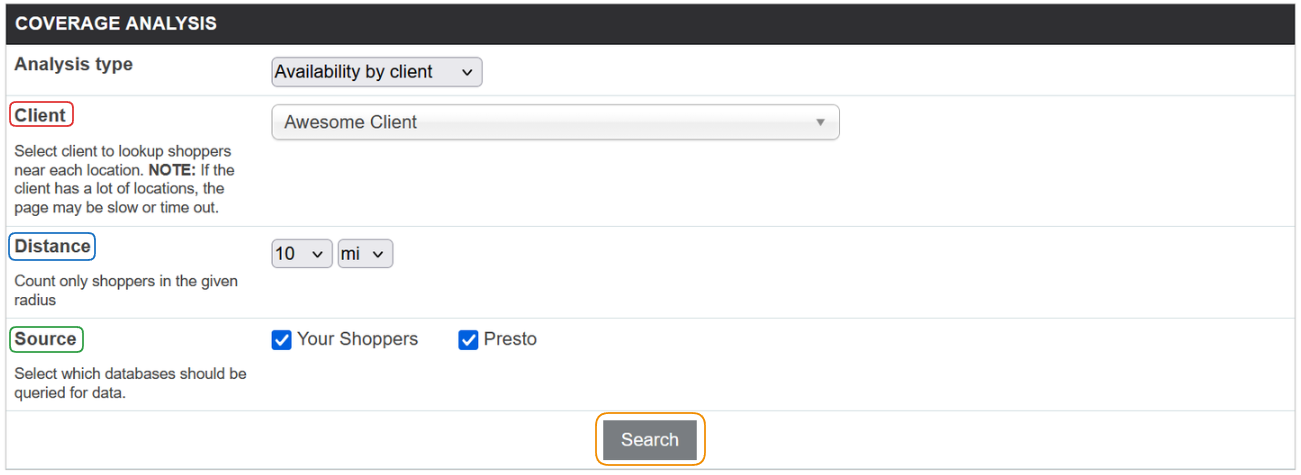
Depending on the number of locations and the number of shoppers, this query may take a long time.
Unlike analysis by country and address, this type of analysis does not have the map view displayed right away.
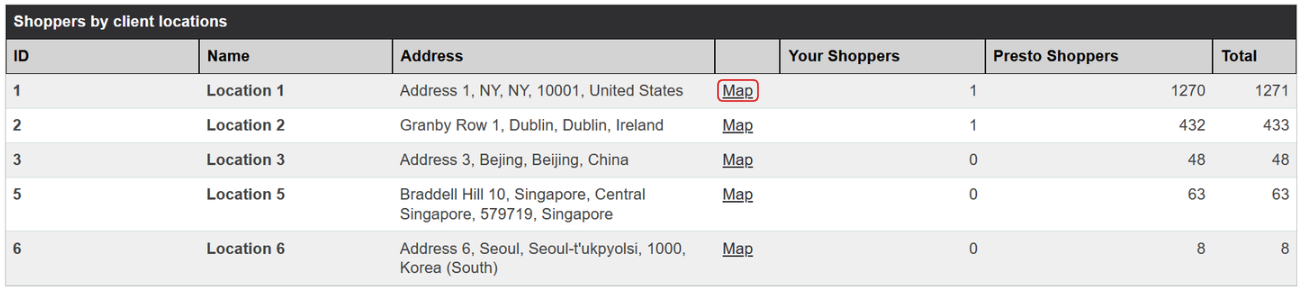
Instead, you can use the Map link embedded in the location row to open a new tab which will display the client location.